PARS: Pipeline for Automated Reconstruction of Subject-specific head models
PARS is an automated pipeline for generating subject-specific finite-element head models from structural MRI data. It takes MRI-derived inputs, prepares a labelled whole-head geometry, and converts that geometry into an LS-DYNA finite-element mesh.
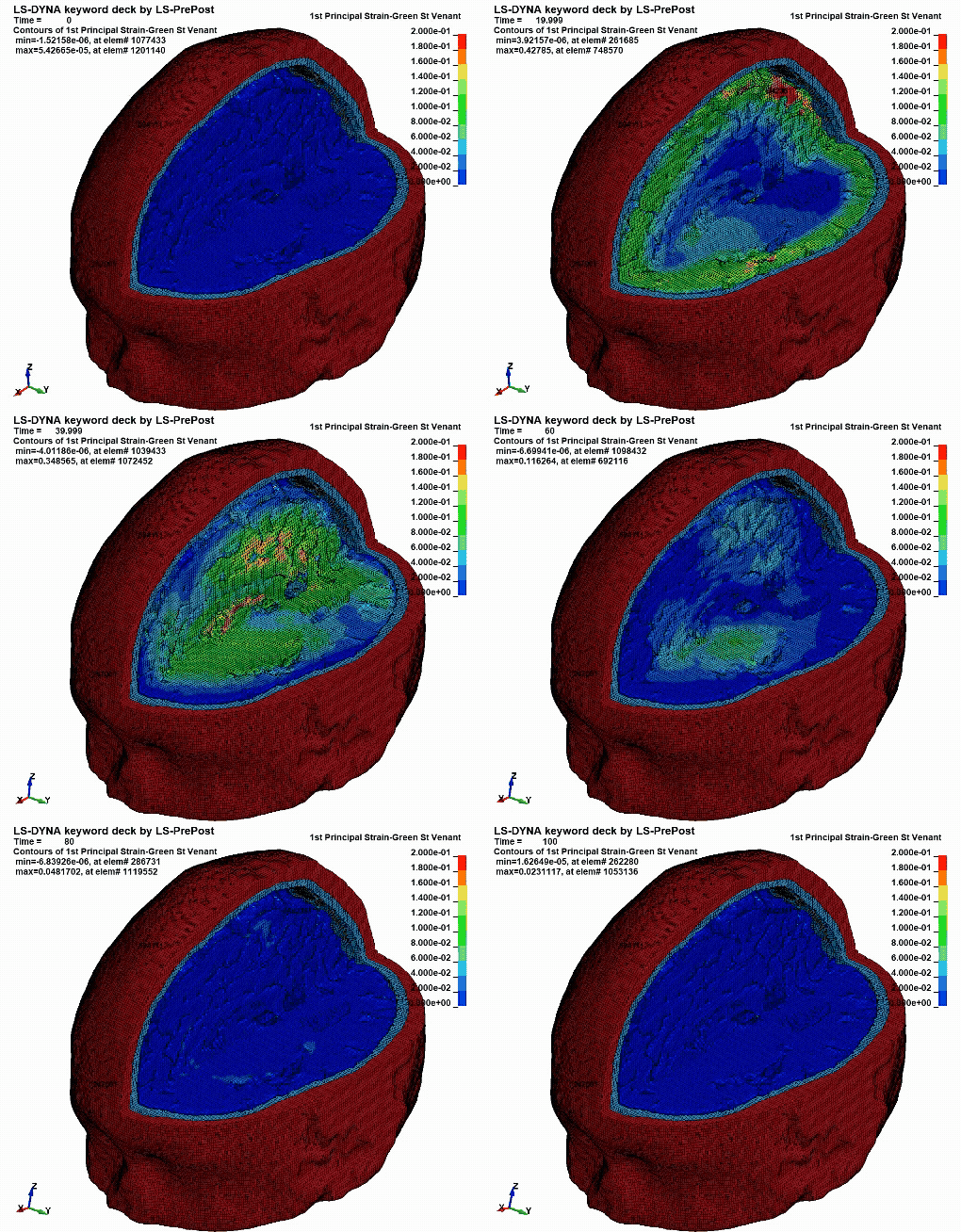
A PARS-generated head model used in a finite-element simulation to estimate brain-tissue deformation.
If you use PARS, please cite:
Darvishi V., Chan E. Y. K., Duckworth H., Parker T. D., Sharp D. J., Ghajari M. PARS: an automated, open-source pipeline for subject-specific finite element head modelling from MRI. bioRxiv 2026.07.05.736584 (2026). https://doi.org/10.64898/2026.07.05.736584
How to use these docs
PARS has two setup routes, but only one workflow.
First, choose where you want to run PARS:
| Setup route | What it is for |
|---|---|
| Local setup | Run PARS on your own computer, workstation, or institutional machine. |
| GitHub Codespaces setup | Run PARS in a browser-based Linux environment without installing PARS or its dependencies on your own device. |
After the environment is ready, follow one common workflow:
| Workflow page | What it explains |
|---|---|
| Using PARS | Required input files, notebook settings, run order, mesh smoothing settings, and checks before simulation. |
| Outputs | Main files created by the image-processing and mesh-creation notebooks. |
| Troubleshooting | Common setup, input, notebook, and mesh-smoothing errors. |
Workflow overview
PARS is run through two Jupyter notebooks:
notebooks/01_ImageProcess.ipynbprepares the labelled whole-head geometry.notebooks/02_MeshCreation.ipynbconverts that labelled geometry into a finite-element mesh.
Users normally only need to:
- set up the environment locally or in Codespaces;
- place the required subject files in the expected folder;
- change the subject name and a few settings at the start of each notebook;
- run the notebook cells in order; and
- inspect the generated image and mesh outputs before using them downstream.
Repository structure
PARS/
├── data/
│   └── subjects/               # subject inputs and generated outputs
├── docs/                       # documentation website source
├── notebooks/
│   ├── 01_ImageProcess.ipynb   # image-processing workflow
│   └── 02_MeshCreation.ipynb   # mesh-generation workflow
├── src/
│   ├── brain_mesh_creation/    # Python code used by the notebooks
│   └── dependencies/           # reference files
├── requirements.txt
└── pyproject.toml
What PARS does
PARS supports:
- generation of subject-specific head geometry from MRI-derived inputs;
- creation of detailed finite-element head meshes;
- control of mesh size and mesh-smoothing settings;
- reconstruction of structures including the falx and tentorium; and
- preparation of models for finite-element simulation and brain-strain analysis.
What PARS produces
The image-processing notebook creates:
data/subjects/{subject_name}/pre_model.nii.gz
The mesh-creation notebook then writes mesh files under:
data/subjects/{subject_name}/output/
The final revised mesh is normally:
mesh_smoothed_revised.k
See Outputs for a concise description of the generated files.